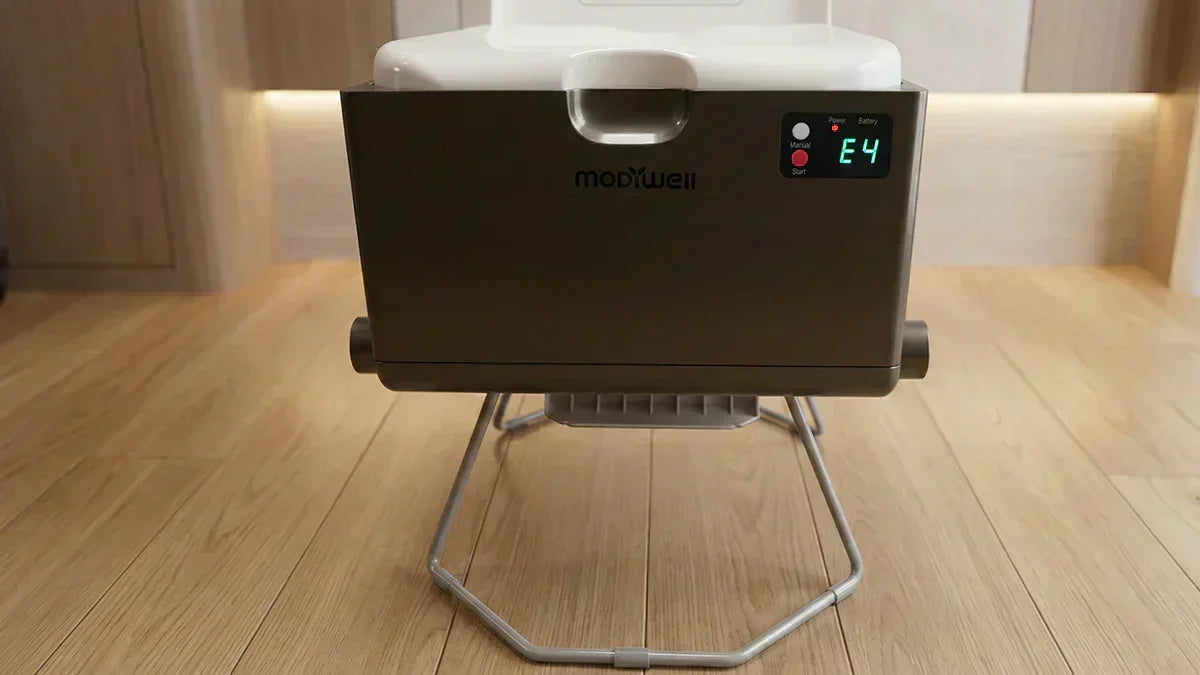
🔍 Understanding the E4 Code
If your Modiwell Dry Flush Toilet control panel displays the "E4 Code", it typically does not mean the device is broken. This alert indicates that the system detected an abnormal load during the bag-tightening or sealing process, triggering the overload protection to stop the operation.
✅ What You Can Do
Follow the step-by-step solutions below to quickly resolve the E4 Code and restore your toilet to normal operation.
- Applicable Models: This guide applies to the Modiwell 310 / 330 series.
- Safety Tip: Although the device is equipped with pinch protection, do not place your hands or any body parts into the moving mechanisms while the unit is operating.
🛠️ Step-by-Step Solutions
Step 1 🧐 Obstruction Check — Clean the Sealing Area
- Check the sealing mechanical arm area for any foreign objects (e.g., paper towels, water bottles, or caught clothing).
- If any objects are found, clear the area to ensure the sealing path is completely unobstructed.
- Restart the power and run a test seal to see if the E4 Code persists.

Step 2 🔎 Liner (Bag) Inspection
(1) Cut the Liner: Safely cut the current liner to clear any tension or jams within the mechanism.
(2) Perform Three Key Checks:
⚠️ Incorrect installation is the most common cause of the E4 Code!
- ① Pulling Direction: Ensure the liner is pulled down from the outermost side. (Correct: Layered bags are hidden; Incorrect: Layered bags are visible).

- ② Straightness Check: Ensure the liner is pulled straight and is flat. It should be free of twists, bunches, or rotations.

- ③ Press Ring Version: Check if your unit has a 1st Gen or 2nd Gen press ring.
-

- 1st Gen: Please contact customer service for a free 2nd Gen replacement. (1st Gen ring may create too much friction, triggering the E4 Code).
- 2nd Gen: Proceed to the next step. (Optimized rounded edge design).
(3) Reinstall the Liner: Correctly reinstall the liner following the "Pull from Outer Side + Keep Straight" principle.
Step 3 ❄️ Low-Temperature Check — Bag Compatibility
Check your environment: Is the temperature between 0–10°C (32–50°F) while using Black or White bags?

- Solution: Contact customer service to request the Blue liners designed for colder temperatures to prevent the E4 Code.
- 💡 Pro Tip: We do not recommend using the toilet in extremely cold environments (≤0°C / 32°F), as the heat-sealing principle is significantly affected.
Step 4 🔊 Abnormal Noise — Bottom Parts Alignment
- Symptoms: The E4 Code occurs accompanied by a noticeable "clicking" or mechanical grinding noise.
- Solution: Manually adjust the bottom auxiliary parts back to their correct positions. A misalignment can prevent the bag from pulling through, triggering the E4 Code.
💡 Pro Tip: If you are unsure of the correct position, please do not force it. We recommend following the instructions or contacting after-sales support.
Explanation: Misalignment of the bottom automatic packing auxiliary accessory can affect the normal pulling and sealing process of the garbage bag, causing an E4 error. After adjusting it to the correct position, the machine will return to normal operation and will not affect machine performance or subsequent use.
🎧 Still Not Working? Contact After-Sales Support
If you have tried all the solutions above and the E4 Code persists, please contact the Modiwell Official Service Center with the following info:
-
① Operational Scenario: Specific actions taken when E4 occurred (initial sealing / during sealing / bag material replacement, etc.)
-
② Ambient Temperature: Is the environment near 0℃?
-
③ Bag Information: Color (black / white / blue) and whether it is a new batch
-
④ Was the bag film pulled out from the outside?
-
⑤ Sealing Area Cleanliness: Has any foreign matter been removed from the sealing area?
-
⑥ Pressure Ring: Generation 1 or 2
-
⑦ Supporting Documents: If convenient, please provide on-site videos or photos to help us diagnose the problem more quickly.
Email: support@modiwell.com (Recommended)
🔭 Conclusion
We hope this guide helps you resolve the E4 Code quickly for a worry-free experience.
Share:
Modiwell Smart Dry Flush Toilet Charging Guide
Modiwell Dry Flush Toilet Coagulant: for Easier, Eco-friendly Toileting